The first time you sign into WCAworld PartnerPay a screen will display requesting you to change your password from the one you were temporarily assigned.
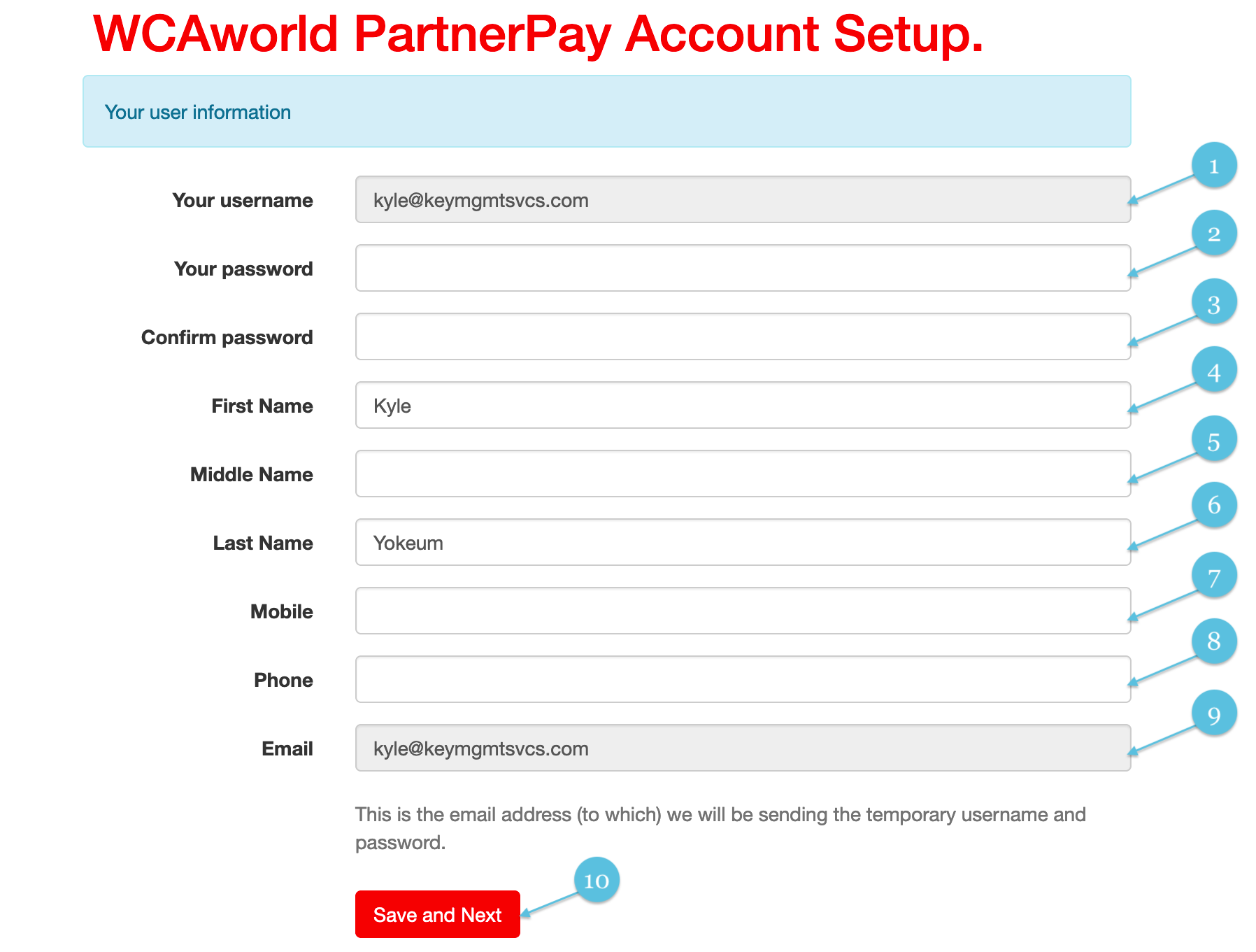
Complete the user information form to change your password and provide us with the necessary contact information.

Your username assigned to you will be entered here by default and cannot be modified to prevent username conflicts.

New Password

Confirm your new password by entering it again.

Enter your first name

Enter your middle name (Optional)

Enter your last name

Please provide us with your mobile phone number (this is optional).

Please provide us with your telephone number including your country and city code.

Your email verified will be entered here by default and cannot be modified to prevent email conflicts.

Click Save & Next once you have entered the information on the form.